The Process
Understanding the Field
When I joined the Overtur Mobile App in 2018, it was clear the biggest breakdowns weren’t in the office—they were on the jobsite.
Field teams were working from paper, photos, and memory, while architects, consultants, and inspectors all relied on different, often outdated sources of truth.
I spent time directly with users across roles—architects, BIM managers, spec writers, installers, and field inspectors—through jobsite shadowing, interviews, and hands-on workshops.
A consistent pattern emerged:
- Inspections were manual, hardware data rarely matched what was installed.
- Version control caused rework.
- Communication between field and office was slow and fragmented.
- There was no reliable digital workflow connecting decisions, specs, and inspections in the field.
This research grounded the product in the reality of field work—messy, unpredictable, and in need of a simple, trustworthy mobile tool.
Researching and Framing the Problem
In 2018, I conducted jobsite shadowing, interviews, and usability workshops with architects, hardware consultants, BIM managers, and field inspectors.
Research surfaced clear operational gaps:
- Field inspections were largely paper-based or managed in spreadsheets.
- Hardware data in the field frequently differed from approved specifications.
- Version control issues caused repeated rework.
- Field-to-office communication was slow and incomplete.
- No single source of truth existed for inspections and hardware decisions.
These findings informed four core design goals:
- Create a single source of truth,
- Digitize inspections without slowing users down
- Support offline work
- Close the communication gap between field and office.
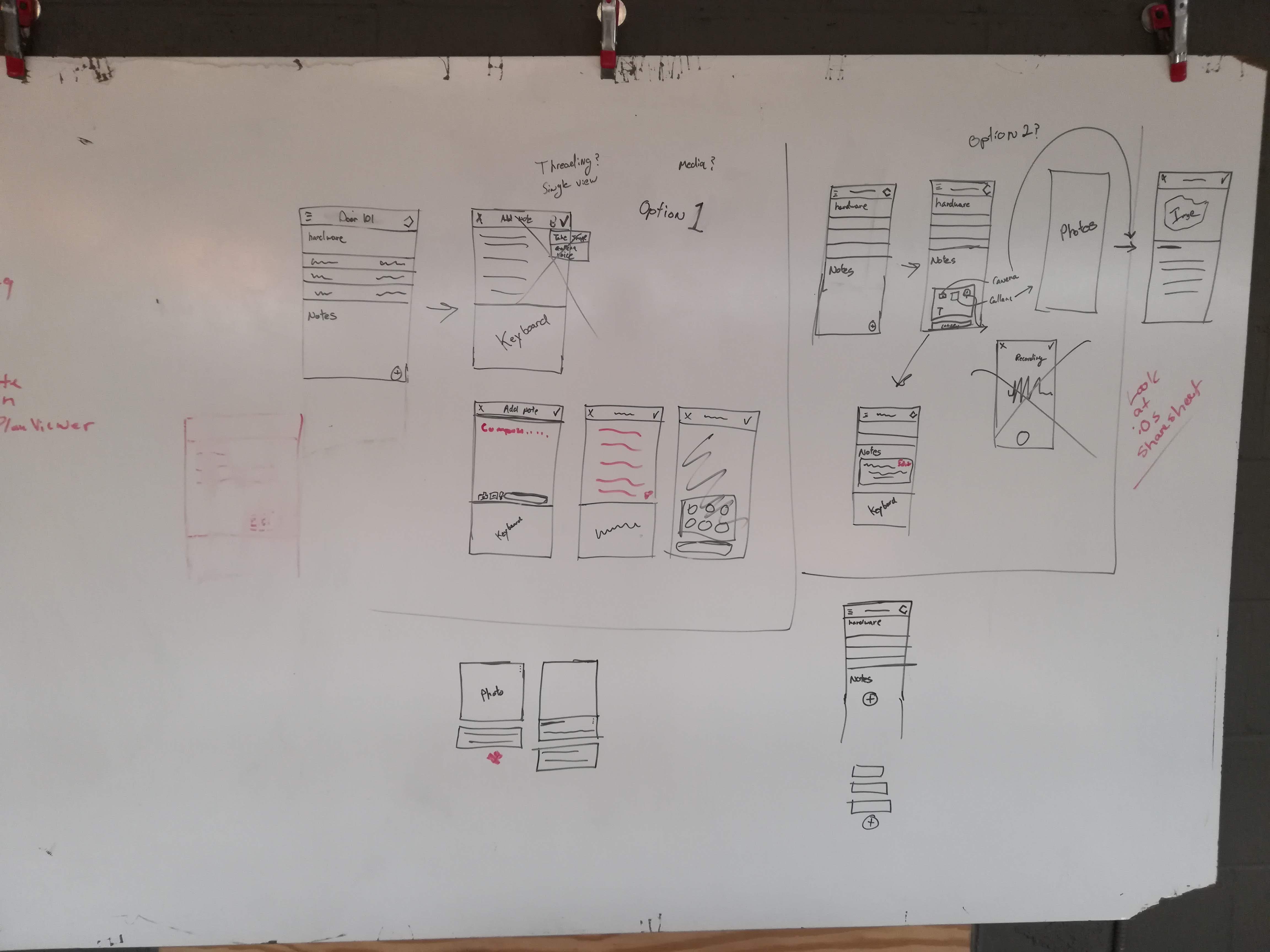
Quick white boarding session on how to work media and notes into the app during a jobsite shadowing session.
Designing the Prototypes
I designed a mobile-first workflow optimized for jobsite conditions—limited connectivity, time pressure, and high cognitive load.
Key features included:
- A streamlined inspection flow that reduced taps and task time.
- A hardware viewer designed specifically for small screens.
- Integrated photo and note capture within inspections.
- Offline-first syncing with automatic updates when connectivity returned.

Ideation session with the mobile app prototype - specifically around notifications and alerts.
Validating with Real-World Scenarios
Usability testing and early pilot programs were conducted with active field teams on real jobsites.
Testing revealed that:
- Reliable offline sync was critical to adoption.
- Industry-specific terminology improved task completion and confidence.
- Batch updates significantly reduced inspection time on large projects.
- Simpler navigation consistently outperformed feature-dense alternatives.
Usability testing with the prototype (often conducted on live jobsites) revealed critical refinements around terminology, data hierarchy, labeling, and interaction patterns.
Simplicity consistently mattered more than feature density.
These insights directly informed design refinements prior to and after launch.
Launch and Iterating
Overtur Mobile launched in 2018 as the field companion to the Overtur platform, giving teams a dependable way to inspect, document, and sync hardware data directly from the jobsite.
Post-launch and for several years after, I continued iterating based on real user feedback—improving offline performance, search and filtering, inspection workflows, photo documentation, and sync reliability as projects scaled.
UI updates reduced cognitive load, performance improved, and support expanded for new inspection types and project structures.
Outcome
Overtur Mobile became the connective tissue between office and field—reducing rework, improving accuracy, and aligning teams around a single, trusted workflow.
By designing and end-to-end process through design-thinking, the app transformed a fragmented field process into a clear, consistent, and resilient digital experience built for real-world use.


